Your Brand Style Guide Template for Lasting Impact
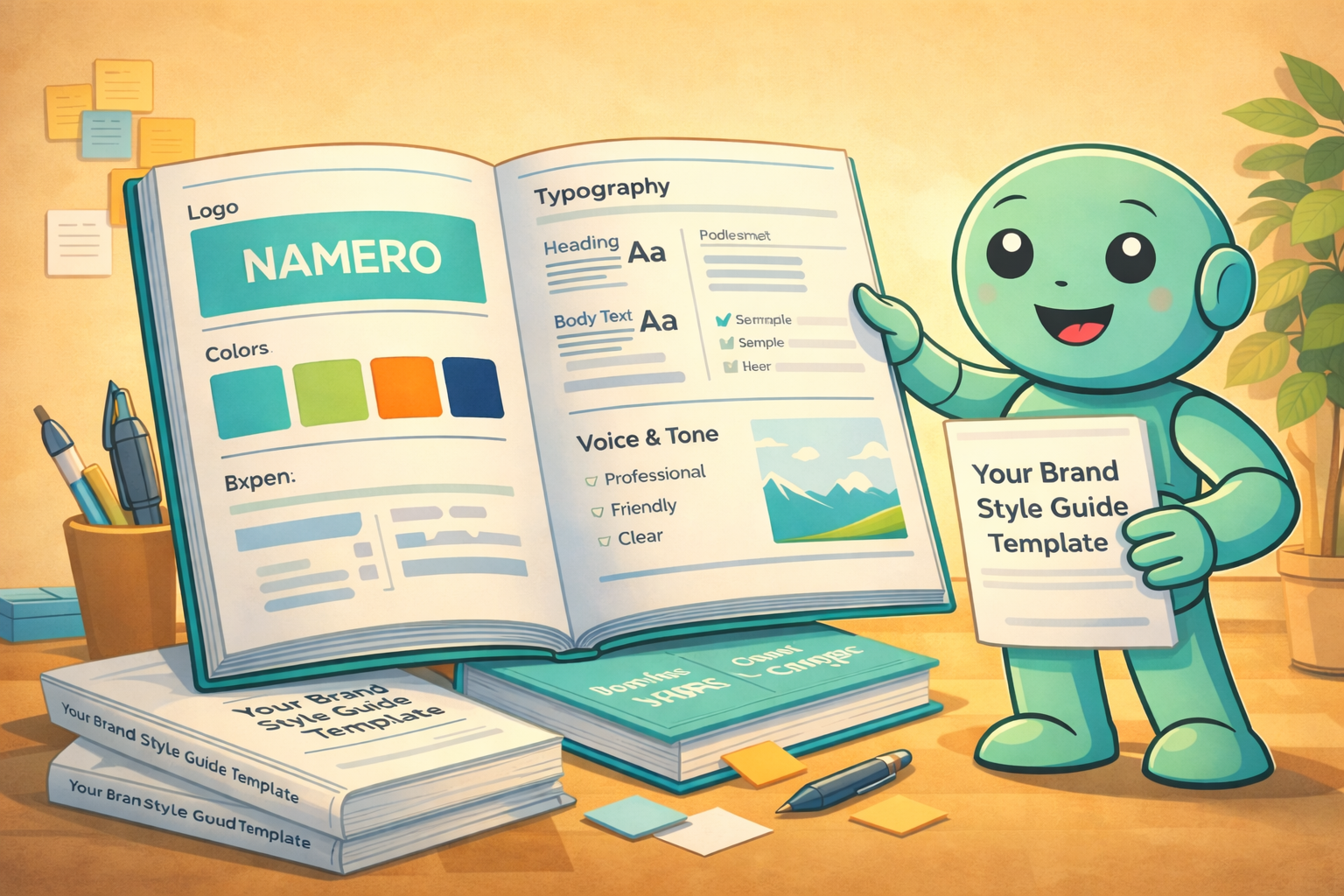
A brand style guide template is your brand's rulebook. It's a pre-built document that lays out all your visual and verbal guidelines—think logos, colors, fonts, and even your tone of voice. This framework ensures everyone, from your in-house team to external partners, presents your brand with complete consistency.
Want to check a serious name candidate? Use NameScore for a structured first assessment before you commit time, budget, or launch work.
Essentially, it's the ultimate cheat sheet for your brand's identity, making sure everything looks and feels like you.
Why Your Brand Style Guide Is a Core Business Asset
Let's be direct: brand inconsistency is a silent growth killer. It slowly erodes trust, confuses customers, and makes your business look amateurish. A brand style guide is far more than just a "nice-to-have" document; it's a foundational business asset that acts as the single source of truth for your entire identity.
This guide is your best defense against brand dilution. Every time a new designer, marketer, or freelancer works on a project, they need to know how to represent you. Without clear guidelines, they're left to guess, which leads to a fragmented and disjointed brand presence across different channels. The end result is a confusing customer experience that feels unreliable.
The True Cost of Inconsistency
Imagine your sales team uses an old logo on their proposals while your social media manager uses the shiny new one. Or maybe your website has a friendly, casual tone, but your customer support emails sound like a robot. These might feel like minor slip-ups, but they accumulate, creating a chaotic brand image that chips away at your credibility.
The costs of this chaos are very real:
- Wasted Time: Think of the endless hours lost in back-and-forth feedback, correcting off-brand colors, fonts, and messaging.
- Wasted Money: You end up paying for redesigns and revisions that could have been easily avoided with clear instructions from the get-go.
- Lost Opportunities: A potential customer might see five different versions of your brand and question your professionalism, ultimately choosing a competitor who appears more cohesive and established.
The numbers back this up. Brands that maintain consistency are seen 3.5 times more frequently than those with a scattered approach. This stat alone shows why a guide that catalogs your visual and verbal rules is so critical for uniformity everywhere your brand appears.
Empowering Teams and Scaling Growth
A well-crafted brand style guide does more than just enforce rules; it empowers people. It gives your team, freelancers, and agency partners the clarity they need to create on-brand work confidently and efficiently. This autonomy actually speeds up content creation and campaign launches, freeing up valuable resources for more important work.
Think about a new marketing hire. Instead of constantly asking your senior team which HEX code to use or how to format a blog title, they can simply consult the style guide. It becomes an essential onboarding tool, getting new team members up to speed in a fraction of the time.
A brand style guide isn’t about restriction; it's about liberation. It frees your creative team from guesswork, allowing them to focus on innovation within a consistent framework that strengthens the brand with every single project.
To truly understand what goes into a functional guide, it helps to break down the key elements. A modern style guide is more than just a logo and a few colors; it's a comprehensive resource for anyone creating content for your brand.
Core Components of a Modern Brand Style Guide
| Component | What It Achieves | Key Details to Document |
|---|---|---|
| Logo Usage | Ensures brand recognition and prevents misuse. | Primary/secondary logos, clear space rules, minimum size, color variations, and examples of incorrect usage. |
| Color Palette | Creates emotional connection and visual harmony. | Primary, secondary, and tertiary colors with HEX, RGB, CMYK, and Pantone codes. Usage ratios (e.g., 60/30/10 rule). |
| Typography | Establishes a clear visual hierarchy and enhances readability. | Primary/secondary typefaces, font weights, sizes for headings (H1, H2, H3), body text, and line spacing. |
| Brand Voice & Tone | Humanizes the brand and builds a consistent personality. | Core brand values, personality traits (e.g., "Confident but not arrogant"), vocabulary (words to use/avoid), and grammar rules. |
| Imagery & Iconography | Defines the visual mood and style of all brand assets. | Guidelines for photography style (e.g., candid vs. posed), illustration style, color treatments, and custom icon sets. |
| Application Examples | Shows the brand identity in real-world scenarios. | Mockups of social media posts, business cards, website headers, email signatures, and presentation slides. |
Having these components clearly defined is what allows your brand to scale. As your company grows, launches new products, or expands into new markets, the guide serves as a scalable framework. It ensures that no matter how large or distributed your team becomes, your brand remains recognizable and trusted.
This foundational document is a crucial step in the journey of creating a brand identity that truly connects with people and stands the test of time.
Defining Your Visuals: Logo and Color Palette
Your logo and color palette are the face of your brand. They're often the first thing people see and the last thing they remember. When you’re putting together a brand style guide, getting these two elements right isn't just a design exercise—it’s about building a consistent, recognizable identity that stands out everywhere, from a tiny favicon to a giant billboard.
Simply tossing your logo files into a shared folder and hoping for the best is a common but costly mistake. To keep your brand looking sharp, you need to set clear, non-negotiable rules.
Mastering Logo Application
Think of your logo like a piece of art in a gallery; it needs breathing room to make an impact. This is where clear space guidelines come into play. These rules dictate the minimum amount of empty space to maintain around the logo, ensuring it never gets lost in a sea of text or other graphics.
A great trick I've seen work well is to use an element from the logo itself as a measuring stick. For instance, you might say the clear space on all sides must be equal to the height of the "B" in your logotype. This creates a foolproof, scalable buffer that protects the logo's integrity no matter the size.
It's also critical to define the logo's absolute minimum size for both digital and print. A logo that looks stunning on your website header can quickly become an unreadable blob on a mobile app icon or the corner of a business card. Test it. Shrink it down and see where it breaks, then set a firm minimum dimension in pixels (for web) and inches or millimeters (for print).
Logo Usage Rules: Do's and Don'ts
One of the most powerful parts of a style guide is a visual cheat sheet of what to do and, more importantly, what not to do with your logo. This proactively prevents those frustrating, off-brand designs from ever seeing the light of day.
| Guideline | Correct Implementation (Do) | Incorrect Implementation (Don't) |
|---|---|---|
| Color Versions | Show the primary, all-white, and all-black logo versions. | Don't create new color versions or alter approved colors. |
| Proportions | Always maintain the original aspect ratio. | Don't stretch, squash, or distort the logo in any way. |
| Backgrounds | Place the logo on approved brand colors or simple, high-contrast photos. | Don't put the logo on busy or low-contrast backgrounds that make it hard to see. |
| Alterations | Use the provided, approved logo files as-is. | Don't add drop shadows, outlines, or other visual effects. |
| Lockups | Provide both horizontal and vertical versions for different layouts. | Don't rearrange or separate elements of the logo. |
By setting these boundaries, you're not stifling creativity; you're protecting your brand's equity and saving everyone from time-consuming revisions down the road.
Your logo usage guidelines are brand insurance. They prevent common mistakes before they happen, protecting your brand's hard-earned recognition and saving your team from countless hours of rework.
Building a Strategic Color Palette
A great color palette does more than just look good—it communicates meaning, evokes emotion, and creates a clear visual hierarchy. It’s a strategic system that brings harmony and purpose to every piece of marketing collateral you create.
Start by defining your primary and secondary colors. For every single shade, you must provide the exact color codes for every possible application. This is the only way to guarantee what you see on a screen in California matches what gets printed in New York.
- HEX codes (e.g., #1A2B3C) are for all things web and digital, like your website, emails, and social media graphics.
- RGB values (e.g., R:26, G:43, B:60) are for anything displayed on a screen, including videos and slide presentations.
- CMYK values (e.g., C:89, M:73, Y:56, K:57) are absolutely essential for physical print materials like brochures, packaging, and business cards.
Thankfully, you don't have to start from scratch. Brand style guide templates are widely available and make documenting these specs a breeze. You can find excellent brand style guide templates and examples in formats for tools like Canva or Adobe InDesign that will help you safeguard your brand's visual identity.
A well-tested framework for applying color is the 60-30-10 rule. It’s a simple but effective way to create balance.
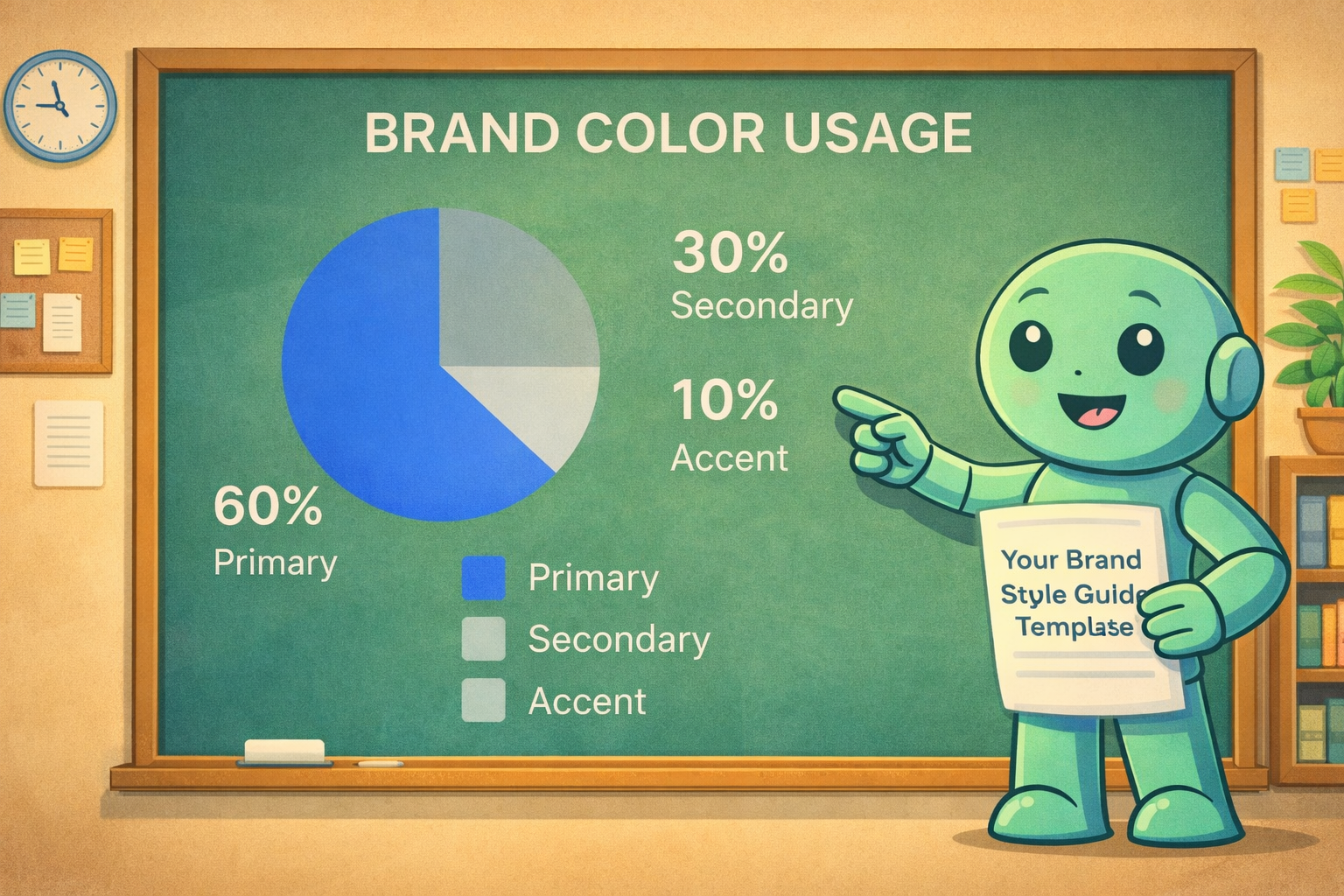
This approach ensures your primary colors set the overall tone, your secondary colors provide support and visual interest, and your accent color is used sparingly for high-impact elements that need to grab attention.
This is where your color palette becomes a powerful communication tool. Assign jobs to your colors. For example, make a rule that your brightest accent color is only for call-to-action (CTA) buttons. Over time, your audience will intuitively know that color means "click here." This simple choice can have a real impact on user experience and conversions. Let your primary colors handle the broad strokes, like backgrounds, while secondary colors can highlight subheadings or pull-quotes. This thoughtful system turns your colors from a simple aesthetic choice into a functional part of your brand language.
Choosing Typography That Speaks Your Brand

If your color palette is your brand’s outfit, think of typography as its voice. The fonts you choose say a lot about your personality before a single word is read. Are you modern and minimal? Classic and trustworthy? Or maybe bold and disruptive? Picking the right typeface is less about finding a font you personally like and more about building a functional system that makes your brand’s character felt in every sentence.
A common pitfall I see is using too many fonts. This almost always ends up looking chaotic and unprofessional. My advice? Keep it simple. A lean, effective system is the goal. You can often get everything you need from a single, robust font family that comes with multiple weights (like light, regular, bold, and black). This gives you enough variety for strong headlines and easy-to-read body text without cluttering your design.
Building Your Typographic System
The heart of your typography section is the typographic scale. This is just a fancy term for a preset collection of sizes, weights, and spacing rules for all your text, from giant page titles down to the tiniest photo captions. Having a clear scale is non-negotiable; it guarantees consistency and makes everything you produce more readable, whether it's on a screen or on paper.
Font pairing is another place where strategy pays off. A timeless combination is a serif font (the ones with little "feet," like Times New Roman) for headlines and a sans-serif font (cleaner, like Arial) for body copy. The contrast does the heavy lifting for you, creating a natural visual hierarchy that guides the reader's eye. A serif headline can feel established and authoritative, while the clean sans-serif text feels modern and approachable.
Ultimately, your fonts should feel like they belong with your brand. The selection process is a lot like trying to choose a brand name that drives recognition—every choice needs to support the core identity you want to project.
Defining a Clear Hierarchy
Your brand style guide needs to remove all the guesswork. Document the exact properties for every single text style so anyone on your team can create content that looks right, every time.
Here's a practical structure to include in your guide:
- H1 (Primary Headline): Your biggest, boldest text. Use it sparingly for main page titles or hero sections.
- H2 (Secondary Headline): The workhorse for major section titles within a page or document.
- H3 (Tertiary Headline): Perfect for sub-sections, breaking up longer content, and supporting points.
- Body Copy: Your standard paragraph text. Readability is king here—aim for 16px to 18px for web content.
- Captions & Labels: The smallest text for things like image credits, form labels, or footnotes.
For each of these, be sure to specify the font family, weight, size, and line height. A good rule of thumb for line height is 1.5x the font size; it gives the text room to breathe.
Pro Tip: Don’t just tell, show. Visual examples are infinitely more helpful than a list of rules. I always recommend including a mockup of a blog post or a webpage header right in the style guide. Seeing the H1, H2, and body text working together in a real-world context makes the guidelines click.
Navigating Font Licensing
This is the part that people often forget, and it can land you in serious trouble. Font licensing is a critical detail. Just because you can download a font online doesn't mean you can legally use it for your business.
Before you commit to a font, do your homework on its license. Many are free for personal projects but require a paid license for any commercial use. Others, like the entire library on Google Fonts, are typically open-source and safe to use. Whatever you choose, document the license and where you got the font directly in your style guide. It’s a simple step that protects your business and ensures your team only works with fully-vetted assets.
How to Document Your Brand's Tone of Voice
If your logo and color palette are what people see, your brand voice is what they hear. It’s the personality that comes through in your words, and getting it right is what turns a business into a brand people genuinely connect with and trust.
But just saying you want to be "friendly" or "professional" isn't enough—those words mean different things to different people. To get everyone on the same page, from marketing to sales to customer support, you have to define your voice with the same care you put into your visuals. This part of your guide is where we get specific about not just what you say, but how you say it.
Moving Beyond Simple Adjectives
The best way I’ve found to nail down a brand voice is to imagine it as a person. What are their defining traits? A fantastic starting point is to pick three to five adjectives that truly capture your brand's personality.
Then, to give those adjectives real teeth, use a "This, Not That" framework. This simple comparison is a game-changer because it adds nuance and sets clear boundaries for your writers.
A tech startup, for instance, might map out its voice like this:
- Confident, not arrogant.
- Witty, not silly.
- Authoritative, not condescending.
- Approachable, not unprofessional.
Suddenly, everyone has a clear field to play on. This structure empowers your team to be witty without cracking cheesy jokes, and to be confident in their expertise without sounding like a know-it-all.
Your brand voice isn't just a list of words; it's a reflection of your company's core values. It dictates how you build relationships with your audience through every tweet, email, and blog post.
Creating a Detailed Voice Chart
To make these rules truly stick, you need to show them in action. I always recommend building out a detailed voice chart right in the style guide. This is where you connect your chosen personality traits to concrete, real-world writing examples.
| Voice Characteristic | What It Means | Examples (Do This) | Examples (Not This) |
|---|---|---|---|
| Confident | We speak with certainty and back our claims. We're leaders who are comfortable with our expertise. | "Our platform delivers a 30% increase in efficiency." | "We believe our platform might help improve efficiency." |
| Witty | We use clever, intelligent humor that respects our audience. Our jokes are smart, not slapstick. | "Finally, an inbox that sparks joy. (Sorry, Marie Kondo.)" | "Our inbox is so great, it'll make you LOL!" |
| Approachable | We use clear, simple language and avoid jargon. We write as if we're speaking to a smart colleague. | "Let's walk through how to set up your account." | "To initiate the onboarding sequence, users must first configure their profile parameters." |
This level of detail is gold. It turns an abstract idea like "approachable" into a practical tool anyone can use. Seeing the do and don't examples side-by-side helps the rules sink in, making it much easier for everyone to write on-brand consistently. If you need a little spark, checking out some unforgettable brand voice examples can help you pinpoint what resonates.
Establishing Core Messaging Pillars
Finally, lock in your core messaging pillars. These are the big ideas—the foundational themes you want to hit again and again in your content. They stem directly from your mission and value proposition.
Think of them as your brand's essential talking points. For example:
- Our commitment to sustainability: Detailing how it's integrated into products and operations.
- Focus on customer empowerment: Explaining how your service gives users more control.
- Innovation through simplicity: Highlighting how you solve complex problems with elegant solutions.
When these pillars are clearly documented, they become a north star. It ensures that a salesperson crafting a pitch and a marketer writing a landing page are both reinforcing the same key ideas. This consistency builds a powerful, unified brand story that only gets stronger over time.
Curating Your Brand's Visual Language: Imagery and Iconography
The photos, illustrations, and icons you use are your brand's silent storytellers. They're not just there to fill empty space; they set a mood, evoke emotion, and build a world around what you offer. But without clear direction, your visuals can quickly become a chaotic mess that just confuses people. This is exactly why your style guide needs to lay down the law for all things imagery.
The whole point is to make every single visual asset feel like it belongs. That consistency is what makes your brand look cohesive and professional, turning a random collection of images into a unified and powerful visual identity.
Defining Your Photography Style
First things first, you need to nail down what a "brand-approved" photo actually looks like. This goes way deeper than just picking high-res images. It’s about defining an artistic direction that perfectly matches your brand's personality.
Think about the subject matter. Who or what is the hero of your photos? Are you showing real customers in candid moments or polished professionals in a studio setting? Maybe it’s about showcasing your product in action or capturing an aspirational lifestyle. Writing this down keeps your visual narrative focused.
From there, you get into the technical and creative details.
- Composition: Do you gravitate toward clean, minimalist shots with plenty of negative space? Or are your visuals full of energy and detail? Should your subjects be dead-center or follow the rule of thirds?
- Lighting: Is your brand bright, airy, and optimistic? Or is it more dramatic and moody, with deep shadows and high contrast?
- Color Grading: This is a big one. Should every photo have a specific color treatment applied? For example, you might decide all your images need a warm, slightly desaturated filter to create a consistent, vintage vibe.
The best imagery guidelines answer a simple question for your team: “Does this feel like us?” When you define the mood, subject, and technical specs of your photography, you're empowering everyone to create and choose images that make your brand stronger.
Building a Cohesive Icon Library
Icons are the unsung heroes of digital design. They pack big ideas into small, easy-to-understand graphics. But when you pull them from all over the place, your website or app starts to look messy and amateurish. Your style guide is the place to mandate a single, unified icon set.
Whether you’re designing them from scratch or picking a pre-made library from a source like Feather Icons or Font Awesome, the rules are the same: consistency is king. You need to document the specific stylistic DNA they all must share.
Key Rules for Your Iconography:
- Style: Are they filled (glyph), simple outlines (line-art), or a mix? Pick one primary style and stick with it.
- Line Weight: Get specific. Define the exact stroke thickness (e.g., 2px) for all your line-art icons so they look like a family.
- Corner Radius: Should the corners be sharp and geometric or soft and rounded? It’s a small detail that has a huge impact on the overall feel.
- Color: Which brand colors are on the approved list for icons? You might decide that all icons must be a single, solid color—like your primary brand color or a simple neutral gray.
The final, crucial step is to put a library of approved, ready-to-use icons right into your shared brand assets folder. This kills any confusion and makes it incredibly easy for your team to grab the right file without a second thought.
Guidelines for Illustrations and Graphic Elements
Beyond photos and icons, you might use other visuals like illustrations, patterns, or textures. These elements can add a ton of personality, but they also need rules to keep them from creating visual clutter.
Just like with photography, you need to define the style for your illustrations. Should they feel hand-drawn and organic, or more like clean, precise vector graphics? A fintech brand might go for sharp, data-driven visuals, while a kids’ brand would lean into whimsical, storybook-style characters.
Finally, let's talk about representation. Being intentional about showing a diverse range of people in your imagery—across age, ethnicity, ability, and background—isn't just the right thing to do; it’s smart business. It helps a much broader audience see themselves in your brand, which builds a deeper and more authentic connection. Make this commitment a core principle of your imagery selection process.
Answering Your Brand Style Guide Questions
As you start putting your brand style guide together, you're bound to run into a few questions. That’s a great sign—it means you're thinking through the details and setting yourself up for success. We get asked about this process all the time, so I’ve pulled together some straight answers to the most common questions.
My goal here is to help you clear those hurdles so your guide becomes a living, breathing tool that people actually use, not just another file collecting digital dust on a server.
What’s the Real Difference Between a Brand Book and a Style Guide?
You'll often hear these terms used interchangeably, but there's a classic distinction worth knowing. Traditionally, a brand book is the high-level, philosophical stuff—your mission, your vision, who you're talking to. It’s the "why" behind your entire brand.
A style guide, on the other hand, is much more tactical. It's the "how-to" manual for your brand's look and feel, laying out the nitty-gritty rules for your logo, colors, fonts, and tone of voice.
Here's the thing, though: the best modern guides blend both. The template we’ve provided is built on this very idea. When you give people the strategic "why," the practical "how" suddenly makes a lot more sense. A truly useful document connects your brand's heart and soul to its everyday expression.
The most effective brand guides don't just list rules; they explain the reasoning behind them. Merging strategic brand philosophy with actionable style guidelines creates a single source of truth that is both inspirational and practical.
How Often Should I Update My Brand Style Guide?
Your style guide should be a living document, not a set-it-and-forget-it PDF. To keep it relevant, I recommend a formal review at least once a year. Block out time to really ask yourselves: does this still reflect who we are and where we're going?
Of course, some events will force your hand. You’ll want to plan for a more significant overhaul during big moments like:
- A complete company rebrand
- A merger or acquisition
- A major new product or service launch
And don't hesitate to make small updates on the fly. If marketing introduces a new secondary color for a campaign or you refine a core messaging point, get it in the guide right away. The aim is to maintain a resource everyone trusts. An out-of-date guide is almost as bad as having no guide at all.
Can We Just Use Canva or Google Slides to Make Our Guide?
Absolutely. The best tool for your style guide is the one your team will actually open and use. Accessibility is king.
Tools like Canva or Google Slides are brilliant for this. They make it incredibly easy to create a digital-first guide that can be shared with a simple link and updated in real-time. For remote or distributed teams, this is a game-changer. Everyone always has the latest version, no exceptions.
Sure, professional design software like Adobe InDesign gives you more power, especially if you need a perfect print version. But if that means only one person on the team can make updates, you've created a bottleneck. The goal is a clear, comprehensive guide that people can find and use without friction.
Should Our Style Guide Be a PDF or a Website?
Why not both? In my experience, the strongest brands leverage each format for what it does best.
A web-based style guide is fantastic for your internal team. It's searchable, you can link directly to specific sections, and it’s a breeze to keep updated. It becomes the go-to resource for day-to-day work.
At the same time, having a polished PDF version is incredibly handy. It’s a self-contained, portable file that’s perfect for sending to external partners, freelancers, or agencies who aren’t in your internal systems. It also works offline. The smartest approach is to maintain your master guide online and simply export a fresh PDF whenever you need one.
Ready to build a brand that resonates and endures? NameRobot provides the tools you need to create a memorable brand identity from the ground up, starting with the perfect name. Discover our suite of naming tools and start your journey.